Case Study • AR Foundation • Unity 2022 LTS
Brown Homestead — “Augmented Interiors”
An AR app that lets visitors explore the ballroom’s historic wallpapers by era—without touching fragile originals. I was the sole Unity developer (programming + implementation of provided UX).
Role: Unity Developer
C#: AR placement • dial • carousel • material swap
Target: Android tablet (ARCore)
AR placement → pick an era → swap wallpapers → show/hide partitions, entirely on-device for docents and visitors.
Project Goals
Experience targets
- Place a room-scale model via AR plane detection.
- Select an era on a timeline dial (snaps per decade).
- Swipe a carousel to preview/apply wallpaper layers.
- Toggle walls/partitions to reflect historical layouts.
Constraints & success signals
- No touch interaction with fragile wallpapers—everything must live in AR.
- Runs smoothly on the onsite Android tablet (ARCore) without network.
- Single-developer build: lean scripts, reusable prefabs, quick iteration.
- Educator-ready UI so docents can guide visitors in under a minute.
System & Scene Setup
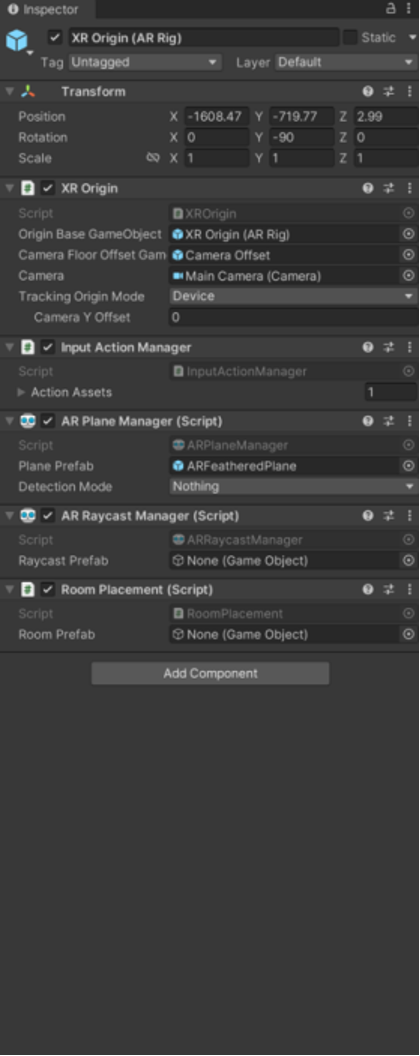
XR Origin configured with AR Plane/Raycast Managers plus a custom RoomPlacement script.
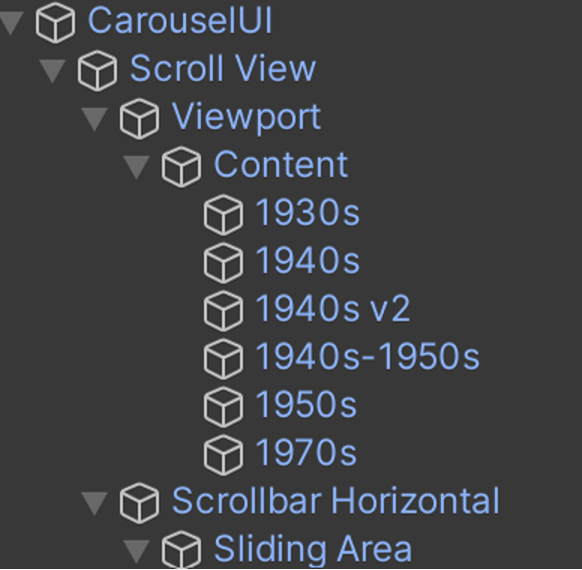
Hierarchy overview: SceneBrownHomestead → XR Origin → RoomPlacement → RoomPrefab, with GameManager & CanvasUI.
Material Swap System (Wallpapers by Era)
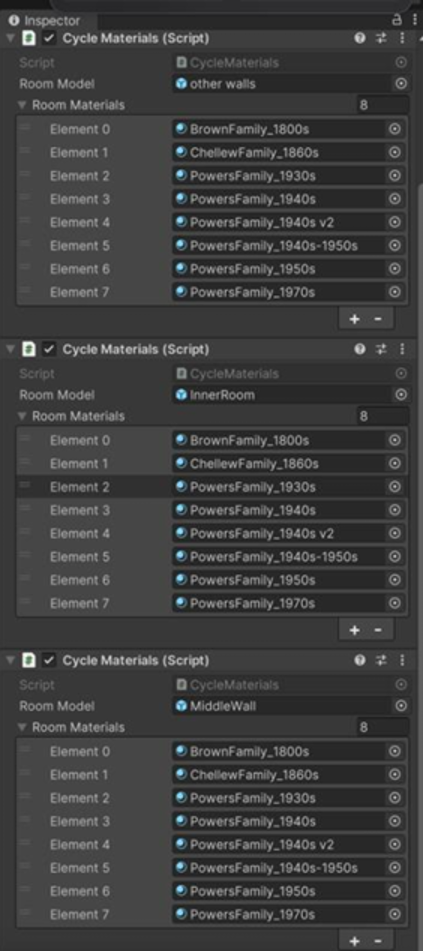
CycleMaterials lists materials per wall/section (1930s–1970s). Selecting a decade swaps the assigned material.
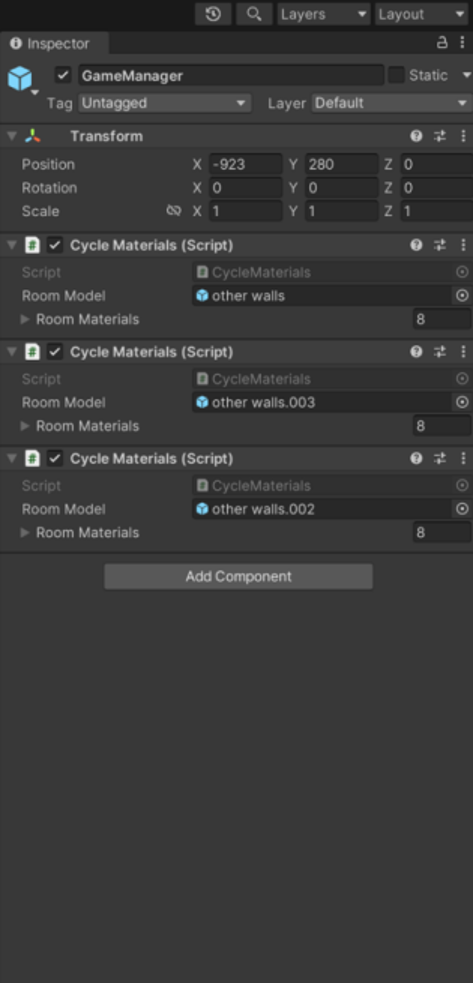
GameManager orchestrates multiple CycleMaterials components (other walls, inner room, middle wall).
Era Timeline Dial & Carousel
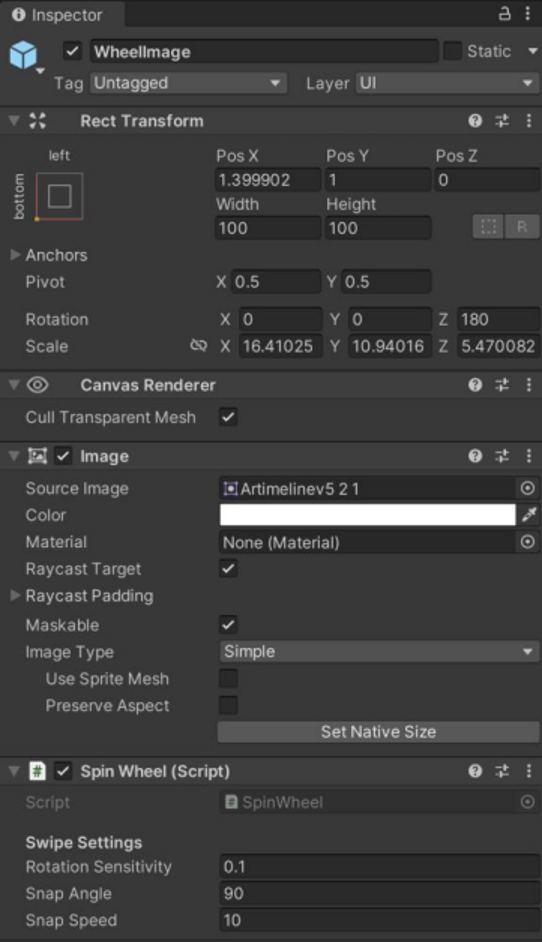
SpinWheel script (Rotation Sensitivity, Snap Angle 90°, Snap Speed 10) implements decade-snap selection.
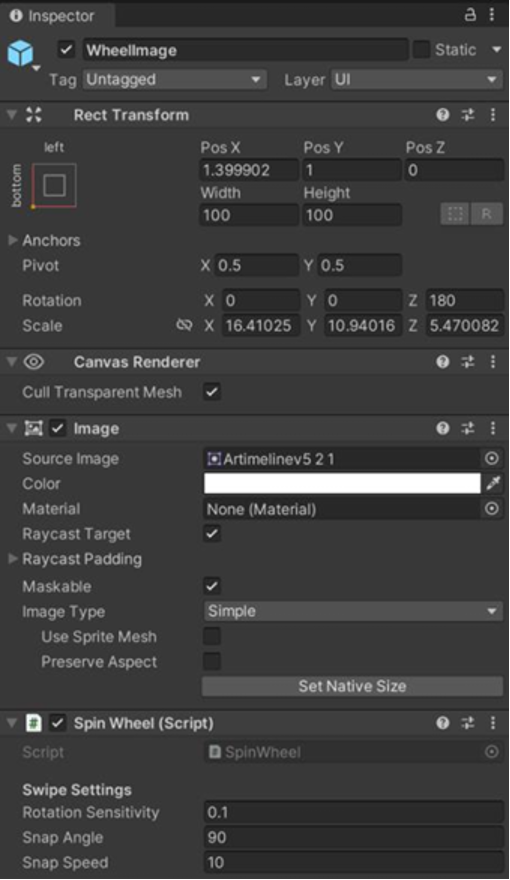
Wheel image object setup with proper RectTransform anchors; ties into selection events that drive material changes.
Editor Overview
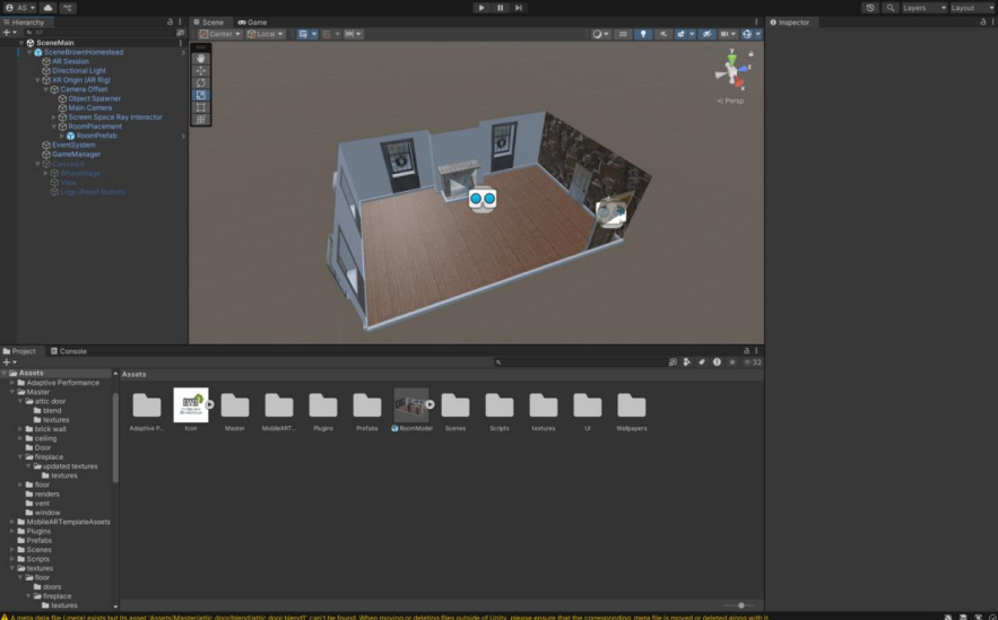
Editor layout showing scene, scripts, prefabs, and wallpaper textures.
What I built (summary)
- AR placement flow (plane detection → tap to place → reposition/scale safeguards).
- Decade dial (drag + snap) and a carousel for layers; hooked up to wall groups.
- Wallpaper material swapping across interior sections via CycleMaterials.
- UI implementation (safe-area, anchors/pivots) and simple wall/partition toggles.
What I’d ship next
- Guided tour mode (era narration + educator prompts).
- Visual polish (animated transitions, sound effects).
- Performance optimizations (lightweight shaders, texture compression).